

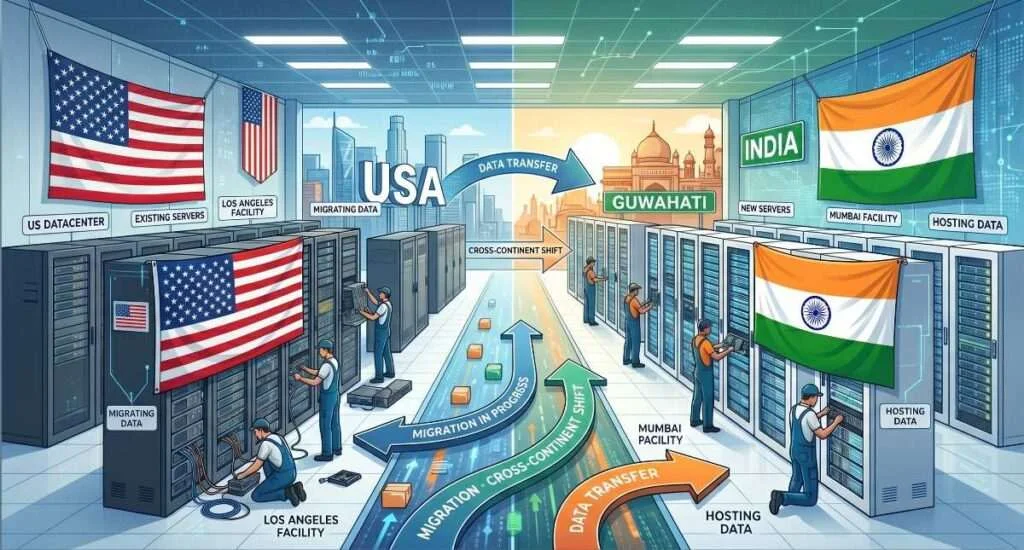
If your website visitors are mostly from India, but your hosting server is located in the US, Europe, or another faraway region, your website may not be performing at its best.
Many Indian businesses start with international hosting providers because they are popular, easy to buy, or recommended by developers. But after some time, problems begin to show.
The website loads slowly for Indian users. Support replies come late because of different time zones. Payments are made in dollars. Server issues take longer to solve. And when the website grows, the cost also increases.
That is why more businesses are now searching for one clear solution:
Move hosting to India.
Moving your website hosting to an Indian data center can improve speed, reduce latency, simplify support, and give your business better control over its online infrastructure. Google also recommends site owners focus on good Core Web Vitals and page experience because they are part of what its ranking systems try to reward. Faster hosting alone does not guarantee higher rankings, but it can help improve the user experience that supports SEO.
In this guide, we will explain the benefits of moving website hosting to India, how to transfer your existing website to an Indian data center, and how to move hosting from the US to India without downtime.
Why Businesses Are Moving Website Hosting to India
India’s internet market is growing fast. More customers are shopping online, searching for local businesses, using SaaS tools, booking services, watching videos, and making payments through websites and apps.
For Indian businesses, this creates a simple question:
Why host your website thousands of kilometers away when your customers are in India?
Hosting location matters because every website request has to travel from the visitor’s device to the server and back. If your server is closer to your audience, the response time can improve. If your server is far away, the website may feel slower, especially during checkout, login, dashboard loading, or form submission.
This is one of the main benefits of moving hosting to India.
Benefits of Moving Website Hosting to India
1. Faster Website Loading for Indian Visitors
If most of your users are from India, hosting your website inside India can reduce latency. Latency is the delay between a user request and the server response.
For example, if your website is hosted in the US and a visitor opens it from Assam, Delhi, Mumbai, Kolkata, or Bengaluru, the request has to travel internationally. Even if your website is optimized, the distance can still add delay.
When your website is hosted in an Indian data center, the server is physically closer to Indian users. This can help pages load faster, especially for:
- Business websites
- E-commerce stores
- WordPress websites
- SaaS dashboards
- Educational portals
- News websites
- Booking platforms
- CRM and ERP systems
A faster website gives users a better experience. It can also reduce bounce rate and improve conversions.
2. Better Experience for Local Customers
Indian customers expect websites to open quickly. If a page takes too long, they leave.
This is especially important for small businesses. A slow website can make your brand look unprofessional, even if your service is good.
Moving your website hosting to India can help your Indian users experience:
- Faster page loading
- Smoother browsing
- Better checkout flow
- Faster login and dashboard access
- More stable access during local traffic peaks
For businesses targeting Indian customers, local hosting is not just a technical decision. It is a customer experience decision.
3. Easier Support and Communication
One common problem with foreign hosting providers is support timing.
If your server is hosted abroad, support may work in a different time zone. You may have to wait longer for replies. In urgent cases, this becomes a serious issue.
With an Indian hosting provider, communication is easier. You can explain the issue clearly. The support team understands Indian business needs, local payment issues, local traffic patterns, and common website setups used by Indian companies.
For small businesses, startups, agencies, and developers, this matters a lot.
4. INR Billing and Easier Payments
International hosting providers usually charge in USD.
That means your monthly bill can change depending on currency exchange rates. You may also face card payment issues, GST confusion, bank charges, or accounting problems.
With Indian hosting providers, you can usually pay in INR. This makes billing easier for Indian companies.
It also helps with:
- GST invoices
- Local accounting
- Predictable monthly costs
- No dollar conversion surprises
- Easier renewal management
For small businesses, predictable pricing is a big advantage.
5. Better Data Locality
Data locality means your data is stored closer to your business and customers.
Many Indian businesses now prefer to keep their website, application, customer records, and business data inside India. This can be useful for control, compliance planning, internal policies, and customer confidence.
Not every business is legally required to host data in India. But for many sectors, local hosting can make infrastructure planning simpler.
This is especially useful for:
- Healthcare websites
- Educational platforms
- Financial service platforms
- Government-related vendors
- Local SaaS companies
- E-commerce businesses
- Legal and consulting firms
India’s data center industry has also become more important as demand for cloud infrastructure, data storage, and digital services grows. Recent reports have highlighted rising data center investment in India, showing that the country is becoming a major hosting and cloud infrastructure market.
6. Lower Latency for Business Applications
Moving hosting to India is not only for websites.
It can also help applications that need frequent server communication, such as:
- ERP systems
- CRM platforms
- Billing systems
- Learning management systems
- Inventory software
- Customer portals
- Internal business dashboards
- API-based applications
If your users are in India, hosting these systems inside India can make them feel more responsive.
This is important because business software is not only about page loading. It is about every click, every form submission, every report, and every API call.
When Should You Move Hosting to India?
You should consider moving your website hosting to India if:
- Most of your website visitors are from India
- Your current website loads slowly in India
- Your hosting server is located in the US, Europe, or another faraway region
- You face support delays with your current provider
- Your hosting bill is becoming expensive due to dollar pricing
- You want local support and local billing
- You run an Indian business website, e-commerce store, SaaS platform, or WordPress site
- You want better control over your hosting environment
If your audience is global, you can still host in India and use a CDN for international users. But if your main traffic comes from India, moving your main hosting server to India can be a smart decision.
Top Indian Hosting Providers for Small Businesses: What to Look For
When searching for the top Indian hosting providers for small businesses, do not only look at the cheapest price.
A good hosting provider should offer the right balance of speed, support, reliability, and scalability.
Before choosing an Indian hosting provider, check these points:
1. Server Location
Make sure the provider actually has servers located in India. Some companies market themselves as Indian hosting providers but still use servers outside India.
Ask clearly:
Where is the data center located?
If your customers are in India, Indian server location should be a priority.
2. Type of Hosting
Different websites need different hosting types.
For small websites, shared hosting or WordPress VPS may be enough.
For growing businesses, VPS hosting is better.
For high-traffic websites, dedicated servers or cloud hosting may be required.
For AI, ML, rendering, or heavy compute workloads, GPU servers may be needed.
For companies with their own physical servers, colocation services are useful.
3. Support Quality
Support is one of the biggest reasons businesses migrate from global providers to local providers.
Choose a provider that offers real technical support, not just ticket forwarding.
Good support should help with:
- Server setup
- Website migration
- DNS changes
- SSL installation
- Backup restoration
- Email configuration
- WordPress issues
- Security checks
- Downtime troubleshooting
4. Uptime and Power Backup
Your website should stay online.
Check if the provider has proper power backup, network redundancy, and monitoring. For business websites, uptime is not optional.
5. Migration Help
If you are moving from another hosting provider, migration support is very important.
A good Indian hosting provider should help you move your website without breaking it.
This includes:
- Files
- Database
- Emails
- SSL
- DNS
- Control panel settings
- Application configuration
Best Indian Web Hosting Providers for Migrating from the US
If you are migrating from the US to India, your main focus should be smooth migration and low downtime.
The best Indian web hosting provider for this use case should offer:
- Indian data center location
- Free or assisted migration
- VPS, cloud, or dedicated server options
- Strong technical support
- Backup and restore support
- DNS guidance
- SSL setup
- Flexible upgrade options
This is where NCXHost can be positioned strongly.
NCXHost provides hosting infrastructure from India and is especially useful for businesses, developers, agencies, and startups that want to move their hosting closer to Indian users.
With NCXHost, businesses can choose from:
- VPS Hosting
- Dedicated Servers
- GPU Servers
- Windows RDP Servers
- WordPress VPS
- Colocation Services
For a business moving from US hosting to Indian hosting, NCXHost can help provide the infrastructure and support needed for a smoother migration.
How to Transfer Existing Website Hosting to an Indian Data Center
Moving your website hosting to India may sound complicated, but the process is simple when planned properly.
Here is the step-by-step process.
Step 1: Audit Your Current Hosting
Before migration, check your current hosting setup.
Make a list of:
- Website files
- Database name and size
- Email accounts
- DNS records
- SSL certificate
- PHP or Node.js version
- CMS version
- Plugins and themes
- Cron jobs
- Custom scripts
- Storage usage
- Monthly bandwidth usage
This helps avoid missing anything during migration.
Step 2: Choose the Right Indian Hosting Plan
Next, choose the correct hosting plan based on your website size and traffic.
For a small business website, WordPress VPS or basic VPS may be enough.
For a growing website, choose a higher VPS plan.
For a high-traffic website or application, choose a dedicated server.
For resource-heavy applications, choose GPU or custom infrastructure.
Do not choose only based on price. Choose based on performance, support, and future growth.
Step 3: Take a Full Backup
Before moving anything, take a full backup of your website.
Backup should include:
- Website files
- Database
- Emails
- DNS records
- SSL certificate
- Configuration files
- Application files
Never start migration without a backup.
Step 4: Set Up the New Indian Server
After choosing your Indian hosting provider, set up the new server.
This may include:
- Operating system setup
- Web server setup
- PHP, Node.js, Python, or required runtime
- Database server
- Control panel
- Security firewall
- SSL tools
- Backup system
If you are using managed hosting, the provider can help with this.
Step 5: Upload Website Files and Database
Now copy your website files to the new Indian server.
Then import the database.
For WordPress websites, this usually means moving:
- wp-content folder
- WordPress core files
- MySQL database
- wp-config.php settings
For custom websites, move all application files and environment settings carefully.
Step 6: Test Website Before DNS Change
Do not update DNS immediately.
First, test the website on the new server using a temporary URL, preview link, or hosts file method.
Check:
- Homepage
- Inner pages
- Login page
- Contact forms
- Checkout page
- Search function
- Images
- Database connection
- Admin dashboard
- Email sending
- Payment gateway
- SSL installation
Fix all issues before pointing the domain to the new server.
Step 7: Reduce DNS TTL
Before final migration, reduce your DNS TTL value.
TTL controls how long DNS records are cached. Lower TTL helps DNS changes spread faster.
You can reduce TTL a few hours before migration. This helps in moving hosting with minimum downtime.
Step 8: Update DNS Records
Once testing is complete, update your DNS records.
Usually, you need to update:
- A record
- CNAME record
- MX records, if email is also moving
- SPF, DKIM, and DMARC records for email
- Subdomain records
After DNS update, traffic will slowly start going to the new Indian server.
Step 9: Monitor the Website
After DNS change, monitor the website for at least 24 to 48 hours.
Check:
- Uptime
- Page speed
- Contact forms
- Orders
- Emails
- Error logs
- Database errors
- Broken links
- SSL issues
- Search Console warnings
Keep the old hosting active for a few days as a safety backup.
Steps to Move Hosting from the US to India Without Downtime
To move hosting from the US to India without downtime, follow this safer process:
- Take full backup of your current website.
- Set up the new Indian hosting server.
- Copy website files and database.
- Test the website on the new server before changing DNS.
- Lower DNS TTL before migration.
- Update DNS during low-traffic hours.
- Keep old hosting active during DNS propagation.
- Monitor both old and new servers.
- Check SSL, emails, forms, and payment systems.
- Cancel old hosting only after full confirmation.
This process helps avoid downtime and data loss.
For e-commerce websites, extra care is needed. Orders, carts, customer accounts, and payment callbacks should be tested properly before the final switch.
Common Mistakes to Avoid During Hosting Migration
Many website owners face problems during migration because they rush the process.
Avoid these mistakes:
- Migrating without backup
- Updating DNS before testing the new server
- Forgetting email records
- Not checking PHP or database version compatibility
- Not installing SSL on the new server
- Cancelling old hosting too early
- Not testing contact forms
- Not checking payment gateway callback URLs
- Ignoring website speed after migration
- Not monitoring error logs
A planned migration is always better than an emergency migration.
Is Moving Hosting to India Good for SEO?
Moving hosting to India can support SEO if your target audience is in India.
It can help improve page speed, reduce latency, and improve user experience. Google’s documentation explains that Core Web Vitals measure real-world user experience for loading performance, interactivity, and visual stability. Good Core Web Vitals are recommended for site owners because they support better user experience and align with what Google’s ranking systems try to reward.
However, hosting location alone will not rank your website.
You still need:
- Good content
- Technical SEO
- Mobile-friendly design
- Fast loading pages
- Proper internal linking
- Good website structure
- Secure HTTPS
- Quality backlinks
- Regular updates
Think of Indian hosting as a performance foundation. It supports your SEO, but it does not replace SEO work.
Why Choose NCXHost to Move Hosting to India?
NCXHost is built for Indian businesses, developers, startups, and organizations that want reliable hosting infrastructure inside India.
If your website is currently hosted outside India and your audience is mainly Indian, NCXHost can help you move your hosting closer to your users.
With NCXHost, you get:
- Indian hosting infrastructure
- VPS, Dedicated Server, GPU Server, Windows RDP, WordPress VPS, and Colocation options
- Suitable plans for small businesses and growing companies
- Local support
- Easy communication
- Hosting solutions for websites, applications, and business platforms
- Better control over your infrastructure
Whether you are moving from US hosting, Singapore hosting, or a global cloud provider, NCXHost can help you shift your website to India with the right hosting solution.
Final Thoughts
Moving hosting to India is a smart decision for businesses that mainly serve Indian users.
It can improve website speed, reduce latency, simplify support, make billing easier, and give your business better control over its digital infrastructure.
If your current website is hosted in the US or another international location and your Indian visitors are facing slow loading speeds, now is a good time to consider migration.
Start with a proper audit. Choose the right Indian hosting provider. Take a full backup. Test everything before DNS change. And migrate carefully to avoid downtime.
For businesses looking for reliable Indian hosting infrastructure, NCXHost offers a practical path to move hosting to India with local support and scalable hosting options.