

Internet Protocols Explained: How TCP/IP, DNS, HTTP, SSH, BGP and Other Protocols Power the Internet
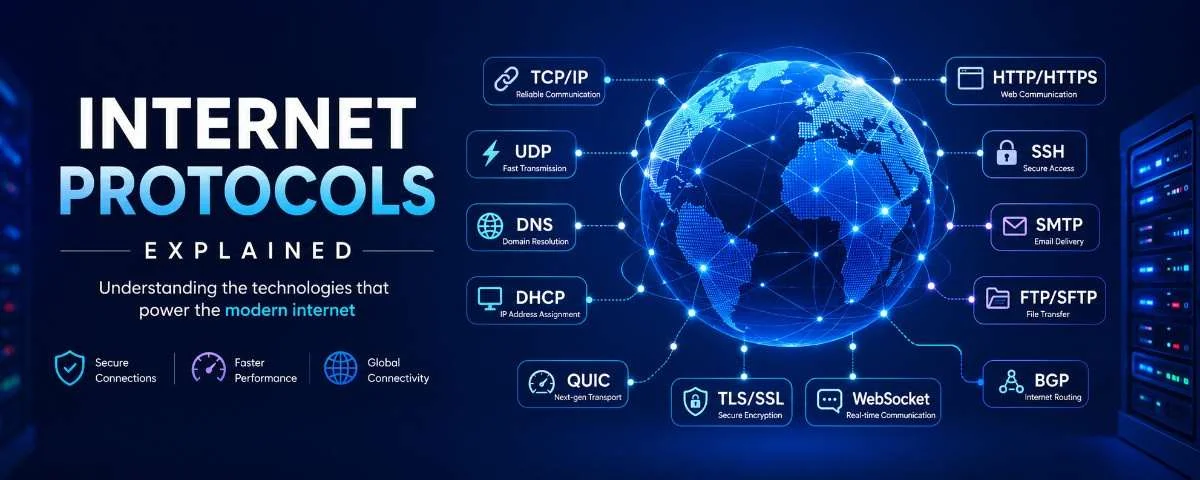
Every time you open a website, send an email, join a video call or stream a movie, multiple internet protocols begin working behind the scenes. These protocols determine how your device finds a server, how data is divided into packets, how those packets travel across different networks and how the information is reconstructed when it reaches its destination. You rarely see these processes. In most cases, everything happens within milliseconds. However, without internet protocols, devices would not know how to communicate, websites would not load, emails would not reach their recipients and global networks would not be able to exchange traffic. This guide explains the most important internet protocols, including: Understanding these protocols can help developers, business owners, system administrators and everyday internet users better understand how modern digital services operate. What Is an Internet Protocol? An internet protocol is a defined set of rules that devices follow when communicating across a network. Computers, servers, routers, smartphones and other connected devices may use different hardware and operating systems. Protocols provide a common communication standard that allows these systems to exchange information reliably. Different protocols handle different responsibilities. Some protocols identify where data needs to go. Others ensure that the data arrives correctly, encrypt communications, assign network addresses or determine the route traffic should follow across the internet. Together, these protocols form the communication framework of the modern internet. Internet Protocols at a Glance Protocol Full Name Main Purpose TCP Transmission Control Protocol Reliable and ordered data delivery IP Internet Protocol Addressing and routing packets UDP User Datagram Protocol Fast, connectionless data transmission DNS Domain Name System Converts domain names into IP addresses DHCP Dynamic Host Configuration Protocol Automatically assigns network settings HTTP Hypertext Transfer Protocol Transfers website and application data HTTPS Hypertext Transfer Protocol Secure Encrypts HTTP communications FTP File Transfer Protocol Transfers and manages files SSH Secure Shell Provides secure remote server access SMTP Simple Mail Transfer Protocol Sends email between clients and servers TLS Transport Layer Security Encrypts network communication WebSocket WebSocket Protocol Enables persistent, real-time communication QUIC Quick UDP Internet Connections Provides fast and secure transport over UDP BGP Border Gateway Protocol Routes traffic between large networks 1. TCP/IP: The Foundation of the Internet TCP/IP is not a single protocol. It is a collection of communication protocols that forms the foundation of the internet. The two central components are: In simple terms, IP determines where the data needs to go, while TCP helps ensure that the data arrives correctly. How TCP Works TCP stands for Transmission Control Protocol. It is a connection-oriented protocol, meaning that two devices establish a connection before transferring application data. TCP commonly begins with a process known as the three-way handshake. The TCP Three-Way Handshake The process consists of three messages: Once this handshake is complete, data can begin flowing between the two systems. TCP breaks the data into smaller units called segments. It assigns sequence numbers to these segments so that they can be tracked and reassembled in the correct order. If a segment is lost during transmission, TCP can request that it be sent again. It also uses acknowledgements, flow control and congestion-control mechanisms to manage communication. Because of these features, TCP is commonly used for applications where completeness and accuracy are essential, including: How IP Works IP stands for Internet Protocol. It handles the addressing and routing of data across networks. Every device participating in an IP network uses an IP address that helps other systems identify where data should be delivered. An IP address can be compared to a postal address. It provides destination information, while routers help move packets towards that destination. There are two widely used versions of IP. IPv4 IPv4 uses 32-bit addresses. A typical IPv4 address looks like this: 192.168.1.1 IPv4 provides approximately 4.3 billion possible addresses. Although this initially appeared sufficient, the rapid expansion of internet-connected devices created a global address shortage. Technologies such as Network Address Translation, or NAT, have helped extend the usable life of IPv4. IPv6 IPv6 uses 128-bit addresses. A typical IPv6 address looks like this: 2401:2960::2 IPv6 supports approximately 340 undecillion possible addresses. This dramatically larger address space was designed to support the continued growth of the internet, connected devices, data centres and Internet of Things deployments. TCP and IP Working Together When TCP and IP operate together: This relationship is why TCP/IP is often described as the backbone of internet communication. 2. UDP: Fast Communication Without a Connection UDP stands for User Datagram Protocol. Unlike TCP, UDP is connectionless. It does not establish a formal connection or perform a three-way handshake before transmitting data. UDP sends packets known as datagrams directly to the destination. It does not automatically: This reduced overhead makes UDP fast and lightweight. Where Is UDP Used? UDP is commonly used when low latency is more important than perfect delivery. Typical applications include: For example, a missing packet during an online game might cause a brief visual inconsistency. Retransmitting that packet could create a more noticeable delay, making the experience feel less responsive. Similarly, during a live voice or video call, a small drop in quality may be preferable to freezing the entire conversation while waiting for lost data. TCP vs UDP Feature TCP UDP Connection Connection-oriented Connectionless Delivery guarantee Yes No Packet ordering Yes No Retransmission Yes No Overhead Higher Lower Speed Generally slower Generally faster Common uses Websites, email and file transfers Gaming, streaming and voice calls The correct choice depends on the application. TCP prioritises reliability, while UDP prioritises speed and reduced latency. 3. DNS: The Internet’s Naming System DNS stands for Domain Name System. It converts human-readable domain names into IP addresses. People find names such as example.com easier to remember than numerical IP addresses. Computers, however, use IP addresses when locating and connecting to servers. DNS connects these two systems. How DNS Resolution Works When you enter a domain name into a browser, your device first checks whether the address is already stored in a local cache. If the